
Japan Offline Phone and Navigation Backup Plan
Prepare data, power, offline maps, hotel addresses, tickets, translation, and a second-device handoff so one dead phone or weak signal does not break the trip.
At a glance
- Best for
- First-time
- Main decision
- Which spending range fits the route
- Time needed
- 15-30 minutes for a planning pass
- Official checks
- Opening hours, transport schedules, weather, reservations
- Related tool
- Japan Travel Budget Calculator
test the first airport-to-hotel journey with airplane mode on before leaving home.
Quick answer
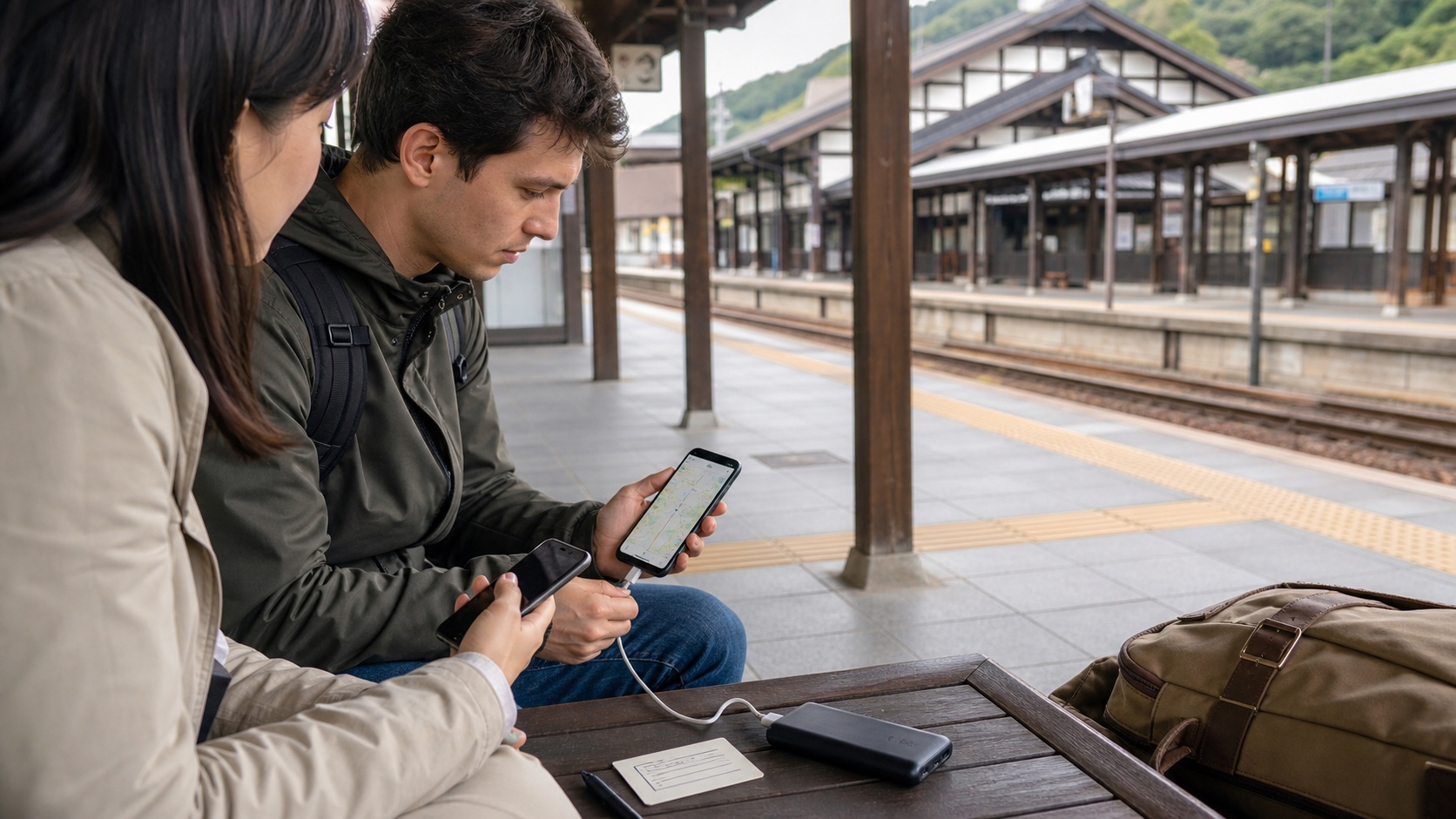
Use mobile data for live changes, but make the trip survivable without it. Before departure, save the first hotel in Japanese and English, airport transfer, each overnight address, essential tickets, reservation numbers, emergency contacts, and one offline map area. Carry a charged power bank and cable, keep critical files available without a login prompt, and give another adult enough information to continue if the main phone is lost or empty.
JNTO explains that connectivity is widely available in Japan but is not guaranteed, especially in remote areas, small accommodations, and variable public Wi-Fi. An eSIM, SIM, roaming plan, or pocket Wi-Fi solves access only when the device, battery, coverage, account, and pickup or activation all work.
If you only do one thing: test the first airport-to-hotel journey with airplane mode on before leaving home.
Who should use this plan
This guide is for first-time visitors, families sharing one pocket Wi-Fi, travelers using app-based tickets, people visiting rural Japan, drivers, hikers, and anyone whose reservations exist only in email. It is particularly useful when one person manages the entire group's maps, translation, payment, and tickets.
The plan does not require printing everything. It creates deliberate redundancy for the few items that would be expensive or stressful to lose. Live transport status stays online; identity, addresses, core route, and proof of booking should remain reachable offline.
| Failure | Primary protection | Offline fallback |
|---|---|---|
| Weak or no data | Compatible data plan with adequate coverage | Downloaded map and written route |
| Dead phone | Charged power bank and cable | Second adult's copy and paper address |
| Account lockout | Recovery method tested before travel | Local files or screenshots without cloud login |
| Lost main device | Device lock and recovery controls | Companion copy, insurer, carrier, and hotel contacts |
Choose connectivity by the route, not the marketing label
Roaming is simple when the home carrier's terms, cost, speed, and Japan coverage work. An eSIM can activate without collecting hardware but requires a compatible unlocked phone and correct installation. A physical SIM also requires compatibility and may change how calls or messages work. Pocket Wi-Fi can serve several devices but creates one shared battery and one pickup, return, and separation risk.
Check rural coverage when the route leaves major cities. A provider's national claim does not guarantee a specific mountain road, island, tunnel, basement, or remote accommodation. Hotel and public Wi-Fi can supplement a plan, but JNTO warns that availability and performance vary.
Keep activation instructions offline. Do not wait until the airport arrival hall to discover that the phone is locked, the QR code is inside the phone being configured, or account verification needs the old SIM.
Build an offline travel packet
Create one folder that opens without network access. Include the first hotel name and address in Japanese and English, telephone, check-in date, airport transfer, all overnight addresses, booking references, essential ticket QR codes when the issuer allows screenshots, travel insurance contacts, carrier contacts, and the passport emergency route. Do not place full card numbers, passwords, or unnecessary identity scans in an unsecured folder.
Save a compact trip outline rather than every research note. The useful file says where you sleep tonight, how to reach it, and what reservation must be shown. Add a paper hotel card for the arrival day and rural stays where a taxi driver may need the written address.
Check whether an app requires an online refresh, rotating QR code, device binding, or the original login. A screenshot is not valid when the operator says otherwise.
Download maps and test their limits
Official Google Maps help explains how supported areas can be downloaded for offline use. Offline maps can help with general road and place navigation, but public-transport schedules, walking details, indoor navigation, live disruptions, and some functions may be limited or unavailable. Other map services have their own rules.
Download the city and transfer areas while on reliable Wi-Fi, then open them in airplane mode. Save stations, hotels, rental offices, and critical meeting points. For hiking, cycling, remote islands, or driving, use the official specialist map or operator guidance appropriate to the activity rather than assuming a general city map is enough.
An offline map can be stale. Check road closure, severe weather, train operation, and event access online when service returns.
Protect battery through the full day
Battery planning starts with the longest day, not the average city day. Navigation, camera use, translation, weak-signal searching, ticket screens, and heat or cold can increase drain. Start charged, use a reliable cable, carry a power bank within airline rules, and verify that the device actually charges from it.
Reduce unnecessary screen brightness and background activity, but do not disable functions needed for safety or ticket access. Keep the phone dry and avoid leaving it in extreme heat. If a pocket Wi-Fi is shared, track its battery separately and decide who carries it.
Charge before the return journey, not only at bedtime. A cafe outlet is not a guaranteed charging plan.
Share responsibility across the group
One adult may manage the plan, but at least one other person should have the current hotel, group tickets they are allowed to hold, emergency contact, and meeting point. For app groups, follow the operator's sharing rules rather than forwarding a code that may not work.
Choose a lost-contact rule: wait at the last confirmed point for a defined time, then meet at a named station gate or hotel. “Meet at Shinjuku Station” is too broad. Use the exact railway, exit, gate, or visible facility.
Children can carry a simple hotel contact card without sensitive itinerary details. Do not place passport numbers or full personal records on an external luggage tag.
Use live information without depending on it
Online status is essential for weather, disasters, train disruptions, closures, and changing reservations. The backup is not a promise to follow an old route; it is enough information to reach staff, identify the destination, and select a safe alternative.
When a train stops, use the operator's current page and station announcements. When weather is severe, use JMA and local authority guidance. A downloaded blog or social post should never override an official closure or evacuation instruction.
Save official status bookmarks before travel so a weak connection is not wasted searching through results.
Common mistakes and better fixes
| Common mistake | Better action |
|---|---|
| Keeping the eSIM QR code only in email on the same phone | Store installation information where another device can access it. |
| Assuming a screenshot is always a valid ticket | Follow the ticket issuer's current display and sharing rules. |
| Downloading a map but never testing it | Open the first transfer and hotel in airplane mode. |
| Giving one person every group function | Share essential addresses, tickets, and meeting points with another adult. |
| Treating public Wi-Fi as guaranteed | Use it as a supplement and keep critical information offline. |
What to verify on official sources
Verify phone compatibility, lock status, roaming or SIM terms, activation, coverage, speed limits, tethering, voice and SMS, support, cancellation, and pocket-Wi-Fi return. Check the airline's current power-bank rules and the ticket issuer's rules for screenshots, device changes, and app sharing.
Use JNTO for general connectivity context, the network provider for the service, the app developer for offline functions, and transport or event operators for live operation. Recheck saved offline maps and files before departure.
Related tools and next steps
- Trip Planner — export the overnight sequence and arrival route.
- Lost property and passport guide — prepare the recovery contacts.
- Japan alerts and emergencies — bookmark official status sources.
- Japan transport hub — save operator pages for the actual route.
Official sources
- JNTO: Wi-Fi and Connectivity (checked 2026-08-30)
- JNTO: Japan Travel Planning (checked 2026-08-30)
- Google Maps Help: Download offline areas (checked 2026-08-30)
Plan your next step
FAQ
Do I need mobile data in Japan?
Reliable data is highly useful for live transport, weather, messages, and reservations, but critical addresses, tickets, and the first route should also be available offline.
Is an eSIM better than pocket Wi-Fi?
It depends on phone compatibility, group size, coverage, tethering, battery, pickup, return, and cost. Compare the complete route and devices.
Can Google Maps work offline in Japan?
Supported map areas can be downloaded, but live traffic, transit schedules, walking details, and some functions may be limited. Test the exact area before travel.
Can I use a ticket screenshot?
Only when the issuer permits it. Some tickets require a live app, rotating code, login, or the original device.
What should I print for Japan?
At minimum, consider the first hotel address, airport route, essential booking references, emergency contacts, and any document specifically required in paper form.
How should a family prepare for one dead phone?
Give another adult the overnight addresses, valid shared tickets, meeting point, emergency contact, and enough route information to reach the hotel.